

Softlinks product
AzAd Vault
Password Manager
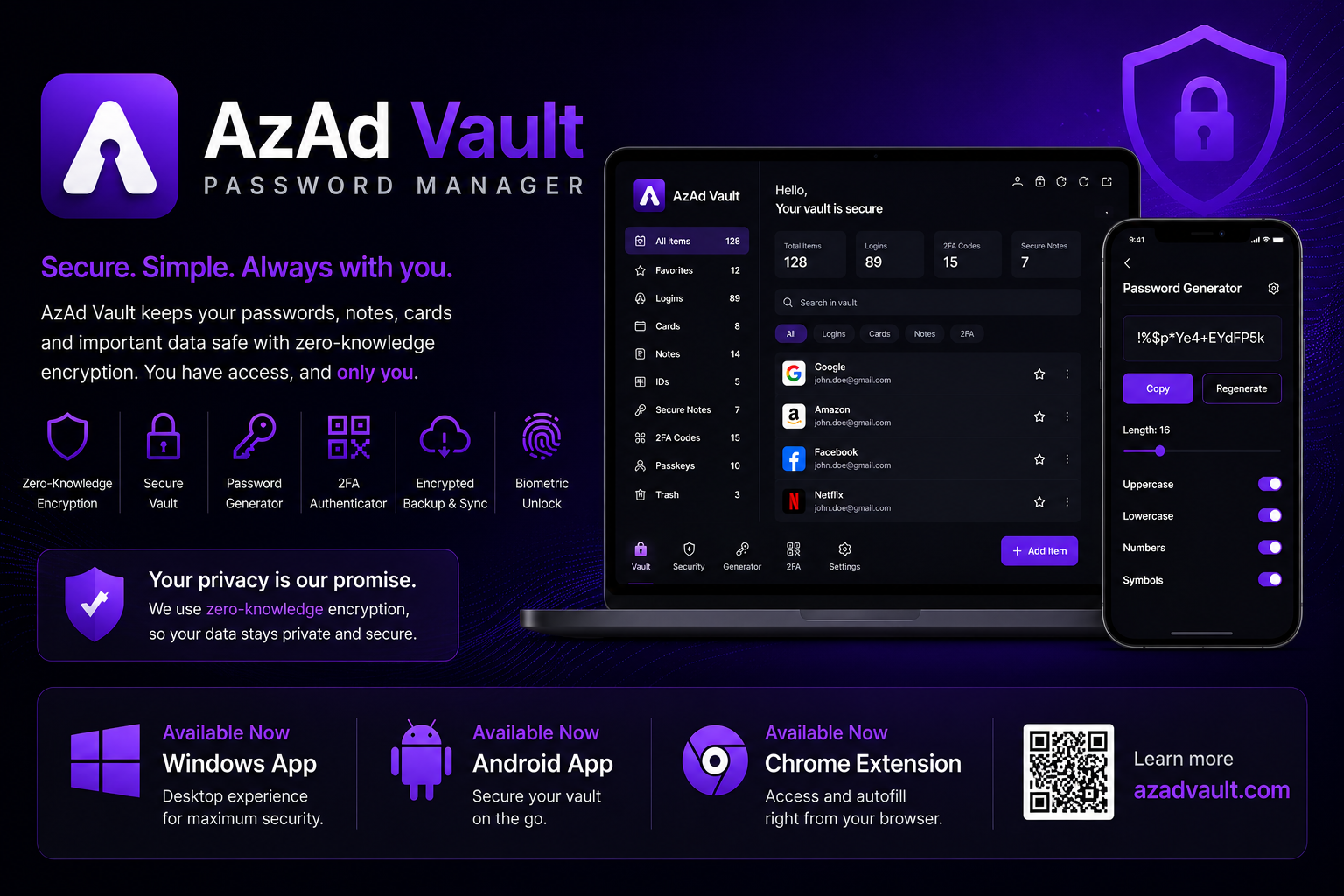
Zero-knowledge password manager with encrypted vaults, autofill, and family sharing — live on Android, plus a Windows app and Chrome browser extension.
Overview
What AzAd Vault is, in plain language.
AzAd Vault is Softlinks’ zero-knowledge password manager with encrypted vaults, autofill, and family sharing. It is live on Android, with a Windows app and Chrome extension so the vault follows you across devices.
Individuals and families use it when they want Softlinks security products that work on phone, desktop, and browser — not a single-device tool.
What you get
Capabilities that ship with AzAd Vault.
- Zero-knowledge encrypted vaults
- Autofill
- Family sharing
- Android app (live on Play)
- Windows desktop app
- Chrome browser extension
When to use it
Practical situations where Softlinks recommends AzAd Vault.
- Store passwords in a zero-knowledge vault
- Autofill logins on Android, Windows, and Chrome
- Share vault access safely with family members
- Install from Play, Chrome Web Store, or Windows download
Why Softlinks buyers pick it
Related products
Often adopted together or as adjacent Softlinks modules.
 Live
LiveNotes Workspace
FolderCard
Folders as a menu. Notes as cards.
Nested folder workspace for notes as cards — markdown, files, end-to-end encrypted secrets, AzAd Vault for logins and TOTP, and team chat. Personal is free forever.
View product Live
LiveChrome Extension
AzAd Smart Downloader
Chrome Extension
Chrome extension that scans any page for images, documents, audio, video, and archives — preview, filter, and bulk-download with smart filename grouping.
View product Live
LiveChrome Extension
AzAd BrowserKit
Chrome Extension
Chrome developer toolkit with nine tools — color picker, font inspector, link collector, email/table extractors, hover zoom, and more.
View productReady to adopt AzAd Vault?
License, customize, or commission a Softlinks build on the same patterns.