
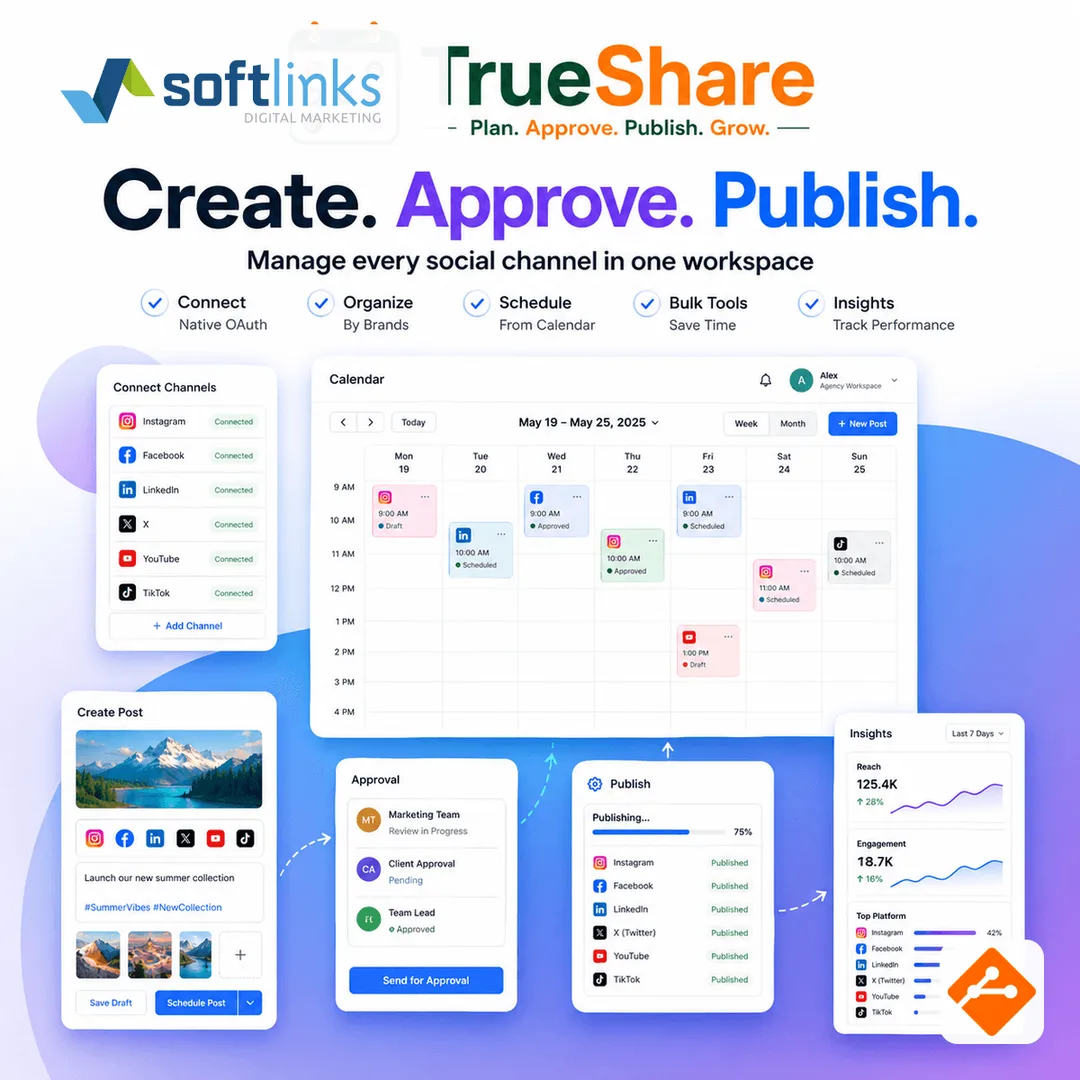
Most brands do not wake up wanting another dashboard. They wake up to a caption in Notes, an approval in email, and a post that went live on Instagram but never made it to LinkedIn. Choosing a social publishing workspace is really choosing how create, approve, and publish stay on one calendar.
This guide is for agency leads, local business owners, and marketing teams comparing native apps, a spreadsheet calendar, and a dedicated publisher. Softlinks ships TrueShare.app for this job — but the checklist works even if you evaluate other vendors first.
Signs you have outgrown native apps
- Two or more people post and nobody can see the week at a glance
- Client or owner sign-off lives in email, WhatsApp, or screenshots
- Every caption is copy-pasted because each network needs a different cut
- You cannot answer “what is scheduled this week?” without opening three apps
- You run more than one brand or client and logins are getting messy
What a social workspace should cover on day one
Ignore 80-feature demos. Ask whether the product closes these jobs without a developer on the phone:
- Connect networks with native OAuth — not a password shared in a spreadsheet
- Organize channels under brands (and client workspaces if you are an agency)
- Compose with per-network captions and previews before anyone approves
- Schedule from a shared calendar, with a media library and bulk tools
- A clear pipeline from draft to live — not a folder of “final_v7” files
- Guest approvals and Insights when the roster or the client list grows
Build vs buy for social publishing
Adopt a workspace like TrueShare.app when create, approve, and publish match most of what you already do and you want one dashboard instead of a stack of native apps. Build custom when a unique network, a compliance workflow, or a product you intend to resell forces data models no publisher supports. Softlinks often starts teams on TrueShare.app and pairs it with MailTry when email campaigns need their own stream.
A short evaluation checklist
- Can an owner approve from a phone without a full seat on day one?
- Do plans match how many channels and networks you actually need?
- Can you start with one brand and grow into multi-client workspaces?
- Are Insights and guest approvals available when you need them — not buried in an enterprise SKU?
- Does the calendar show draft, waiting, scheduled, and live in one view?
How Softlinks helps
TrueShare.app is Softlinks’ social publishing workspace. See the product page for capabilities, and the TrueShare case study for the delivery pattern. Pair it with MailTry when you also send campaigns by email. Unsure whether TrueShare.app, a custom publisher, or both fits? Use the which-product tool or start a short planning chat.
Next step
Ready for the next step? Request a TrueShare.app demo, or start a project brief with how many brands and networks you run — we typically reply within one business day.
FAQ
- When should a team leave native social apps?
- When two or more people post, when client or owner sign-off lives in email or WhatsApp, or when you cannot see one calendar across Instagram, Facebook, and LinkedIn.
- Do we need a custom scheduler or a product like TrueShare.app?
- Start with a social publishing workspace if create, approve, and publish match most of what you already do. Build custom only when a unique network, compliance rule, or product you resell forces workflows no scheduler supports.
Written by
Founder, Softlinks
Founder of Softlinks and AzAd Solutions, building custom SaaS, industry platforms, and mail infrastructure for teams worldwide.